

Doubles Calc
Doubles calc checklist
In doubles, ally boosts, spread moves, and Protect change results a lot. Notes on easy-to-miss settings and how doubles differ from singles.
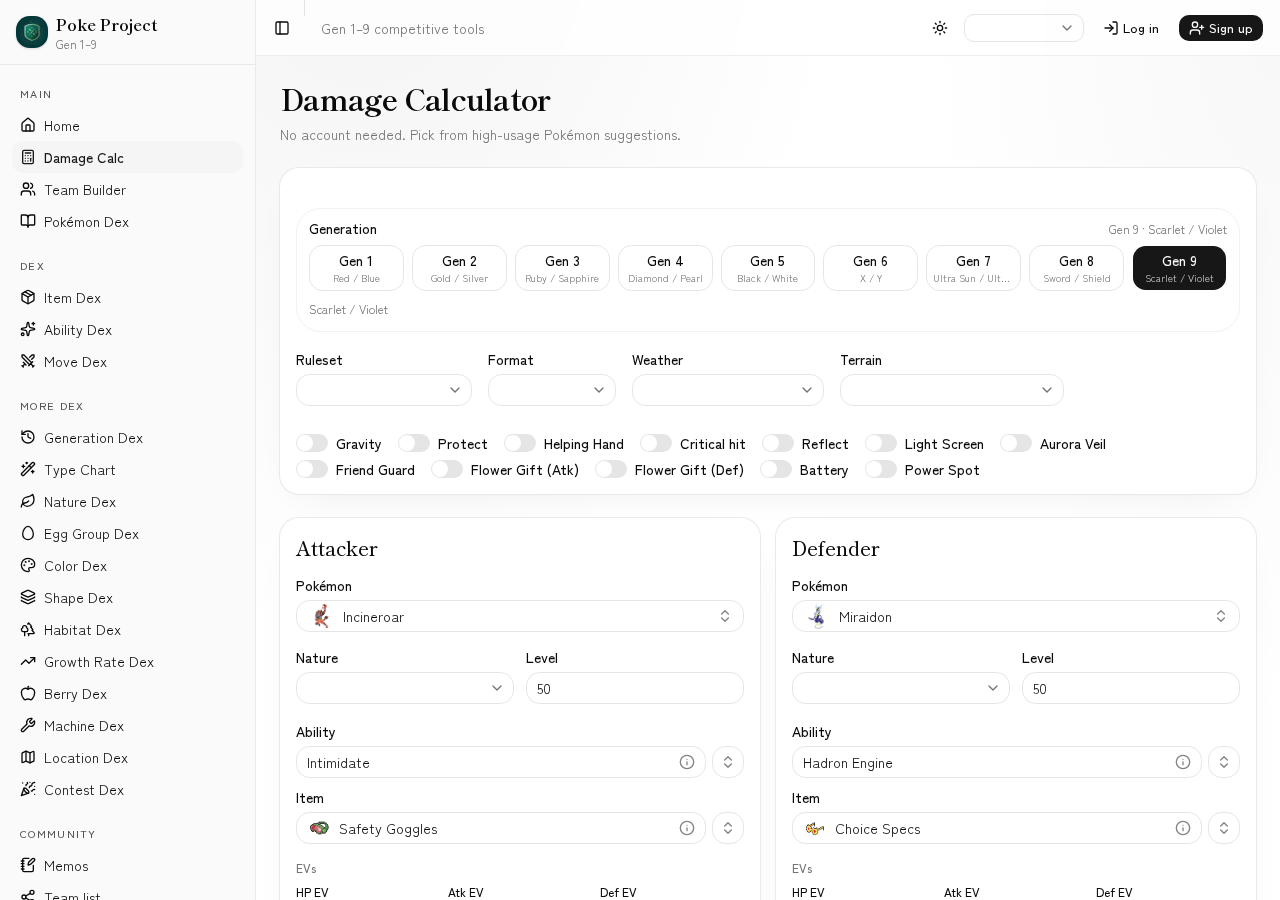
Switching format to Doubles applies doubles modifiers.
You can set ally support (Helping Hand, Battery, Friend Guard, etc.).
Protect, screens, and terrain drive doubles tempo decisions.
Basic flow
- 1Set format to Doubles in Calc.
- 2Enter attacker, defender, and move.
- 3Enable Helping Hand, Friend Guard, screens, Protect, and other real conditions.
- 4Compare to singles numbers to see if the damage still lands in doubles.
Tips
- •Even vs one target, some moves have different multipliers in doubles format.
- •Read spread and friendly-fire moves with positioning in mind.
- •Keep conditions in a share link so doubles teambuilding talks stay aligned.
FAQ
- Which doubles settings must I turn on?
- After setting Doubles, enable only modifiers that exist that turn (Helping Hand, Friend Guard, screens, Protect, etc.). Extra toggles skew numbers.
- Can doubles numbers match singles?
- Yes. Many moves still change with targets or ally boosts, so recalc in Doubles when building for doubles.
Related guides
- How to read Gen 9 damage calcLearn damage ranges, percentages, rolls, and OHKO/2HKO counts. A guide to reading Scarlet/Violet singles results for real matchup decisions.
- How to bulk EV trainSteps to set H/B/D EVs against a hypothetical move. Find the “survives” line in Calc and turn it into an efficient bulk spread.
- Common matchup calc examplesConcrete examples of turning frequent matchups into Calc inputs—how to assume sets, which numbers to read, and what to try next.
- How to use Damage CalcRun Gen 1–9 singles/doubles damage calculations with @smogon/calc. Switch between Standard and Champions rules, and set weather, terrain, screens, and more.