

Speed tiers
How to use Speed comparison
Compare your Pokémon’s Speed to common base-Speed tiers and Pokémon you add, and see the investment needed to outspeed.
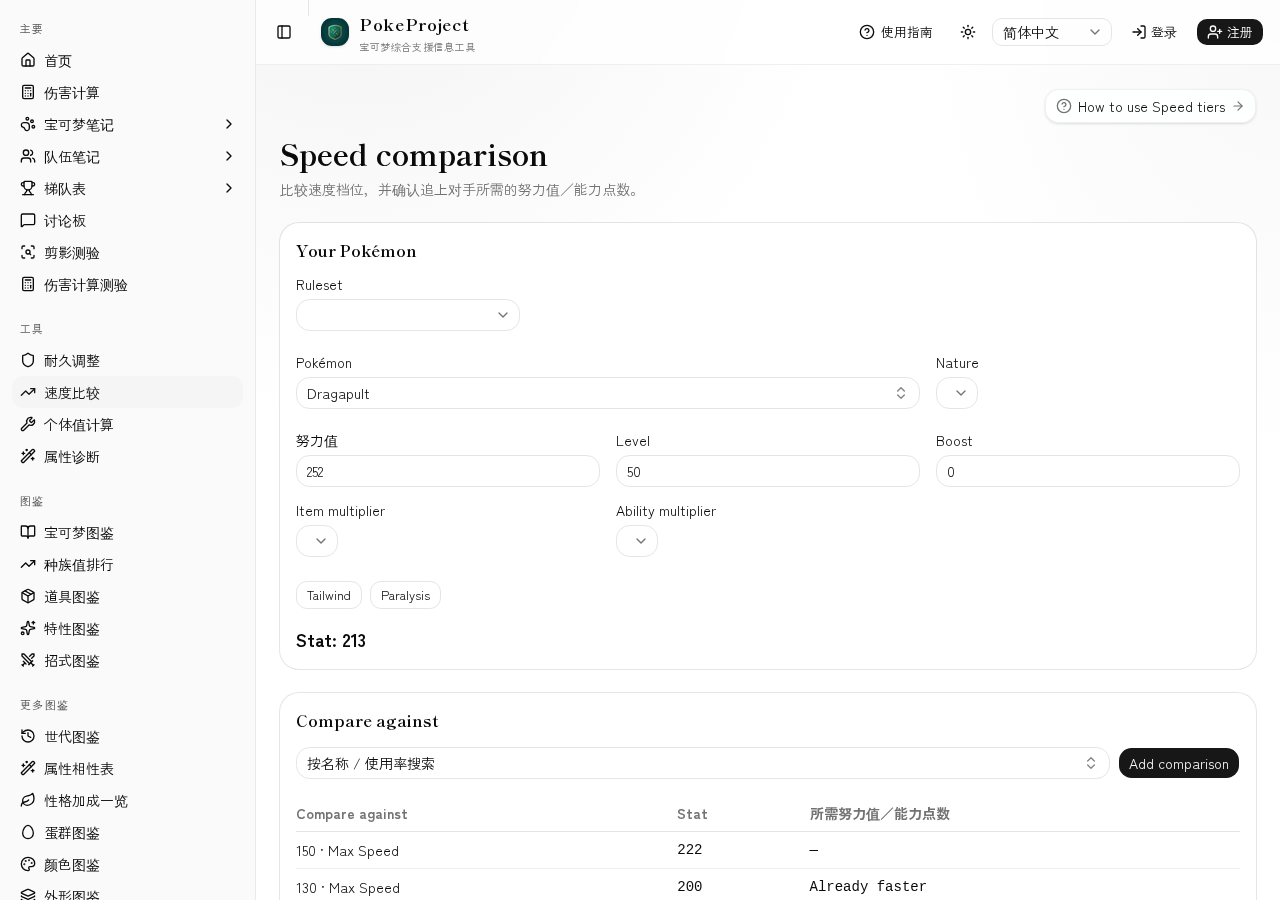
Set your nature, Effort values (or Ability Points), stages, item/ability multipliers, Tailwind, and paralysis.
Common base-Speed tiers appear by default; add Pokémon to compare (assumed max Speed).
Chips show 0 Spe, 4 Spe, the outspeed line, and max investment with the resulting Speed.
基本步骤
- 1Open Tools → Speed comparison in the sidebar.
- 2Enter your Pokémon, nature, and investment, then check your Speed.
- 3Add comparison Pokémon if needed.
- 4On each card, read the difference and the investment chips to outspeed.
实用技巧
- •Keep the default tiers and only add the opponents you care about.
- •After bulk adjustment leaves Speed Effort values, confirm the cut here.
相关指南
- 第9世代伤害计算结果的解读方法介绍如何解读伤害区间、百分比、随机数与确定击杀次数。帮助你把朱紫世代的单打计算结果,转化为实战中真正有用的判断依据。
- 耐久调整的方法假设对手的招式后,决定H/B/D努力值的步骤。通过伤害计算找出「刚好能承受」的临界线,并将其转化为高效的耐久配置。
- How to use Individual value calcNarrow Individual-value ranges from level and stats. Handy while training or estimating an opponent’s Individual values.
- How to use Type checkDiagnose defensive typing and matchups against common meta threats. Also available from the Team Memos threat panel.
- 双打计算注意事项清单在双打中,同伴增益、扩散招式、「守住」等因素会大幅改变结果。整理了容易被忽略的设置,以及双打与单打的差异。
- 常见对局计算示例将对战中常见的对局套用到伤害计算的具体示例。包括如何假设配置、应该看哪些数值,以及接下来可以尝试的调整顺序。
- 伤害计算使用方法基于 @smogon/calc 进行第1~9世代单打/双打伤害计算的页面。可以切换标准规则与 Champions 规则,并设置天气、场地、增益墙等条件。