

Type check
How to use Type check
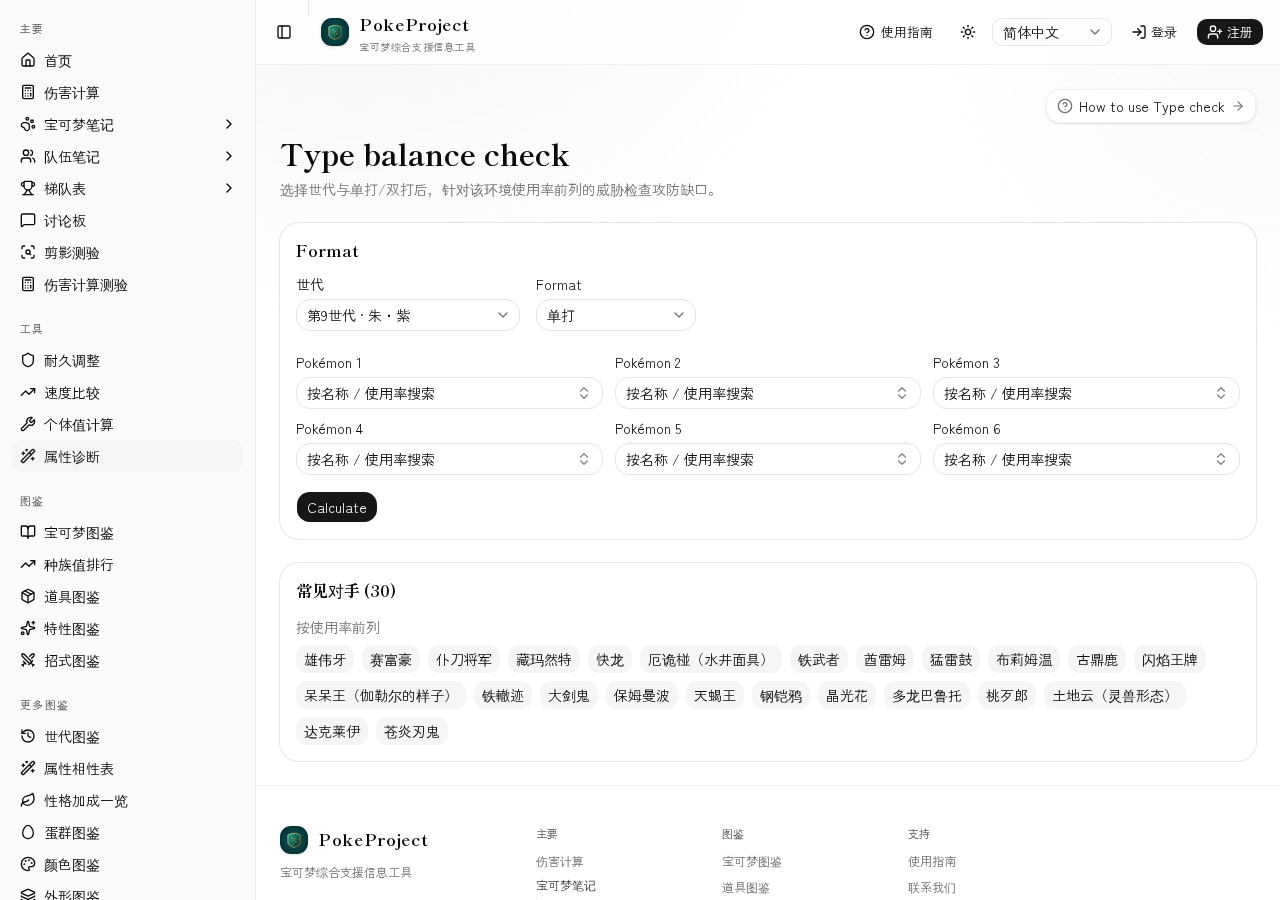
Diagnose defensive typing and matchups against common meta threats. Also available from the Team Memos threat panel.
See weakness and resistance bias from your typing.
Scan matchups against high-usage threat lists.
The same threat check appears while editing Team Memos.
基本步骤
- 1Open Tools → Type check in the sidebar.
- 2Pick generation (e.g. Gen 9 · Scarlet/Violet) and singles/doubles.
- 3Enter the Pokémon or types to diagnose.
- 4Review weaknesses, resistances, and threat matchups.
- 5Deep-dive key faces in Damage Calc or Bulk adjustment.
实用技巧
- •Threats load from top usage for the selected generation/format (Smogon formats, not individual game SKUs).
- •Use Team Memos for offensive coverage and this tool for defensive profiling.
- •Threat names follow the UI language via localized catalog names.
相关指南
- 第9世代伤害计算结果的解读方法介绍如何解读伤害区间、百分比、随机数与确定击杀次数。帮助你把朱紫世代的单打计算结果,转化为实战中真正有用的判断依据。
- 耐久调整的方法假设对手的招式后,决定H/B/D努力值的步骤。通过伤害计算找出「刚好能承受」的临界线,并将其转化为高效的耐久配置。
- How to use Speed comparisonCompare your Pokémon’s Speed to common base-Speed tiers and Pokémon you add, and see the investment needed to outspeed.
- How to use Individual value calcNarrow Individual-value ranges from level and stats. Handy while training or estimating an opponent’s Individual values.
- 双打计算注意事项清单在双打中,同伴增益、扩散招式、「守住」等因素会大幅改变结果。整理了容易被忽略的设置,以及双打与单打的差异。
- 常见对局计算示例将对战中常见的对局套用到伤害计算的具体示例。包括如何假设配置、应该看哪些数值,以及接下来可以尝试的调整顺序。
- 伤害计算使用方法基于 @smogon/calc 进行第1~9世代单打/双打伤害计算的页面。可以切换标准规则与 Champions 规则,并设置天气、场地、增益墙等条件。