

Speed tiers
How to use Speed comparison
Compare your Pokémon’s Speed to common base-Speed tiers and Pokémon you add, and see the investment needed to outspeed.
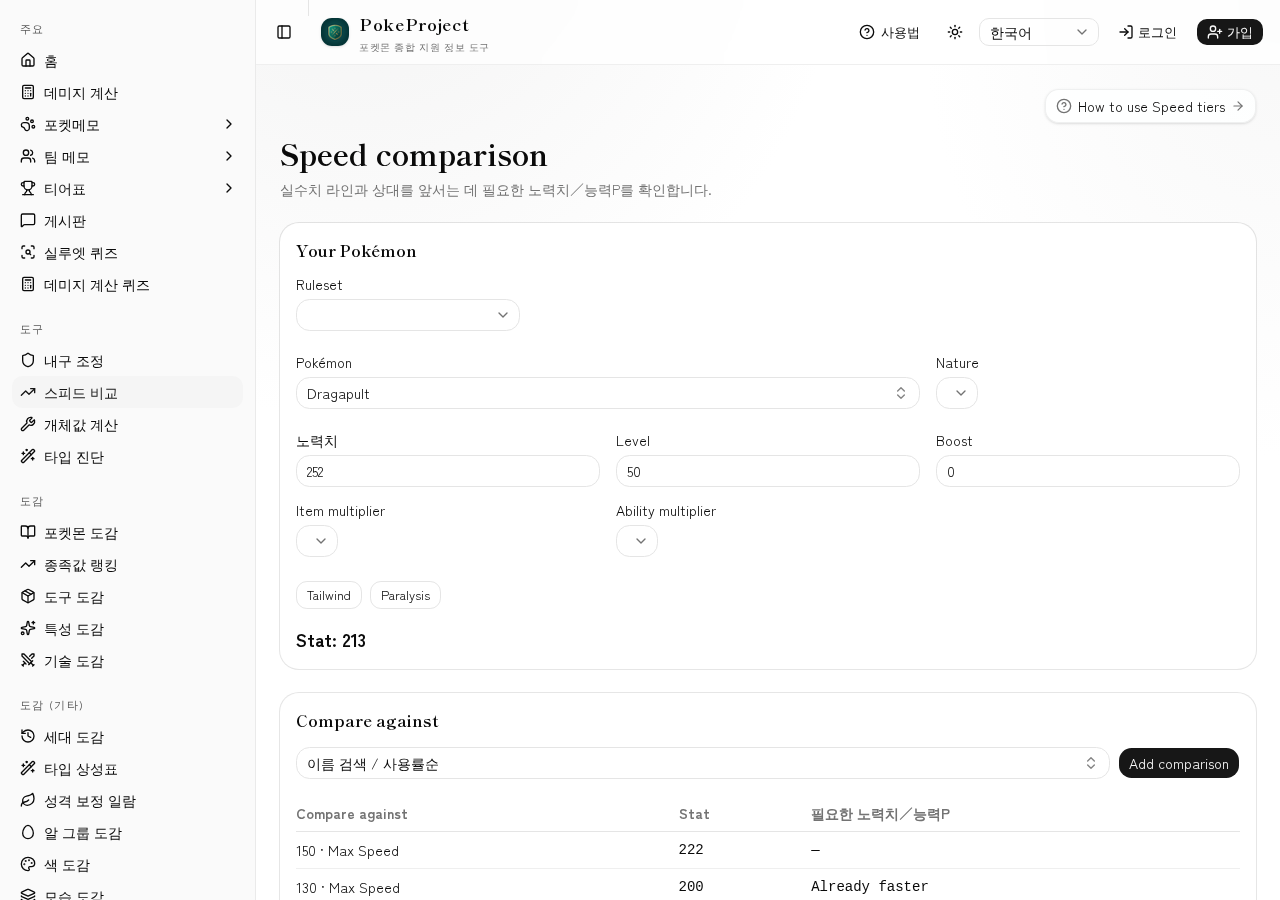
Set your nature, Effort values (or Ability Points), stages, item/ability multipliers, Tailwind, and paralysis.
Common base-Speed tiers appear by default; add Pokémon to compare (assumed max Speed).
Chips show 0 Spe, 4 Spe, the outspeed line, and max investment with the resulting Speed.
기본 흐름
- 1Open Tools → Speed comparison in the sidebar.
- 2Enter your Pokémon, nature, and investment, then check your Speed.
- 3Add comparison Pokémon if needed.
- 4On each card, read the difference and the investment chips to outspeed.
유용한 팁
- •Keep the default tiers and only add the opponents you care about.
- •After bulk adjustment leaves Speed Effort values, confirm the cut here.
관련 가이드
- 9세대 데미지 계산 결과 읽는 법데미지 범위, 비율, 난수, 확정 처치 횟수를 읽는 방법을 설명합니다. 스칼렛·바이올렛 세대 싱글 계산 결과를 실전 판단에 활용하기 위한 가이드입니다.
- 내구 조정 방법가상의 상대 기술을 상정해 H·B·D 노력치를 정하는 절차입니다. 데미지 계산에서 「버티는 경계선」을 찾아 효율적인 내구 배분으로 만드는 방법을 정리했습니다.
- How to use Individual value calcNarrow Individual-value ranges from level and stats. Handy while training or estimating an opponent’s Individual values.
- How to use Type checkDiagnose defensive typing and matchups against common meta threats. Also available from the Team Memos threat panel.
- 더블 배틀 계산 체크리스트더블에서는 동료 보정, 분산 기술, 「막다」 등이 결과를 크게 바꿉니다. 놓치기 쉬운 설정과 싱글과의 차이를 정리했습니다.
- 자주 쓰는 대면 계산 예시대전에서 자주 나오는 대면을 계산에 적용하는 구체적인 예시입니다. 형을 가정하는 방법, 확인해야 할 수치, 다음에 시도할 조정 순서를 함께 소개합니다.
- 데미지 계산 사용법@smogon/calc 기반으로 1~9세대 싱글/더블 데미지 계산을 할 수 있는 화면입니다. 표준 규칙과 챔피언스를 전환하고, 날씨·필드·벽 등도 함께 설정할 수 있습니다.